Justin
Morissette

1. Turning Complex Workflows Into a Clear System
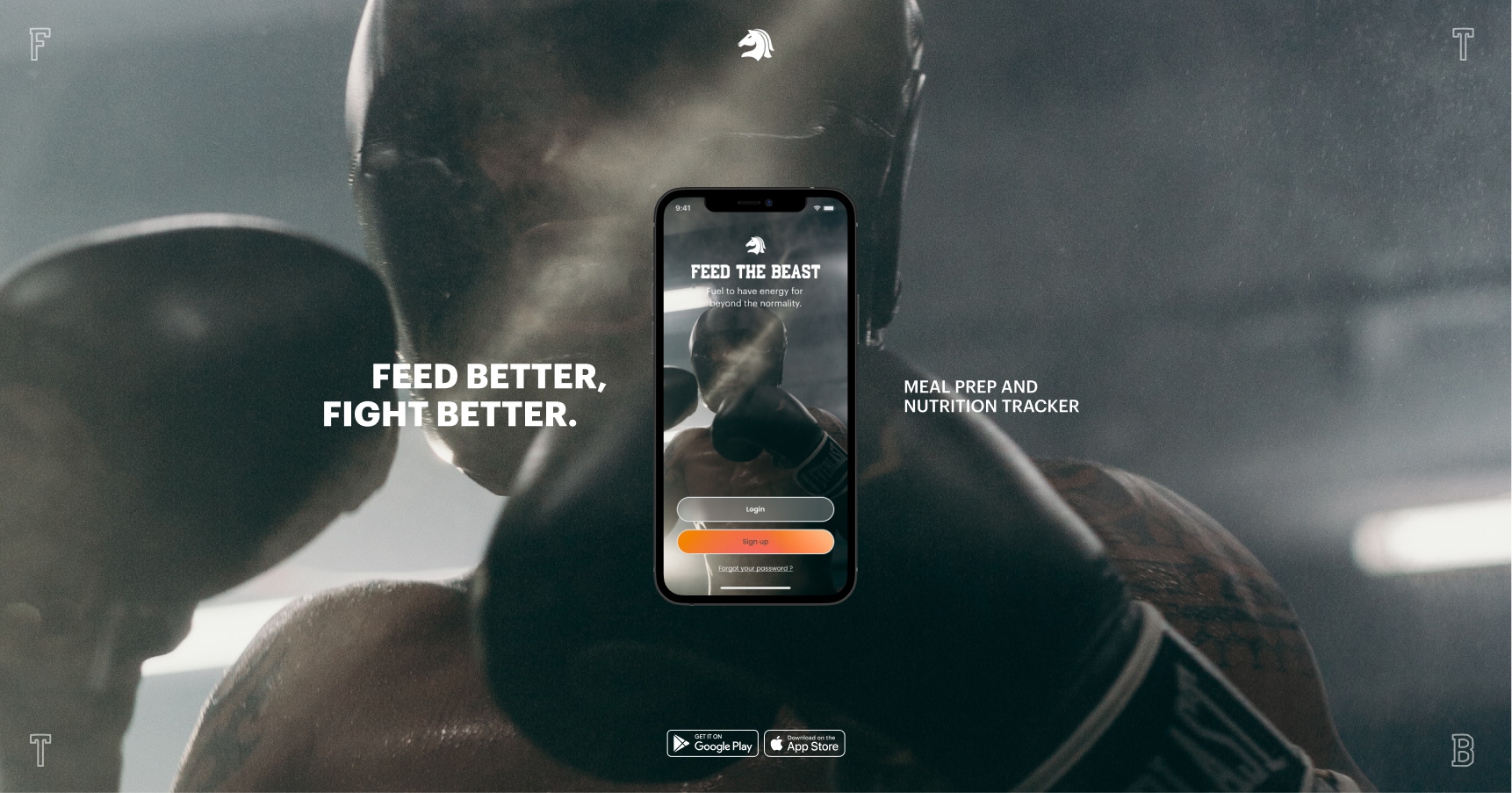
The starting point was a messy set of requirements: training logs, session planning, performance metrics, and athlete feedback all living in different places. My first step was to map the entire workflow to understand how coaches and athletes actually move through a training session.
- Research & discovery: Interviewed users and reviewed how training data was currently tracked.
- Journey mapping: Used Figma and FigJam to map the end-to-end workflow from planning a session to reviewing results.
- System structuring: Broke the experience into clear stages — plan → train → review → adjust.
- Interface design: Translated these steps into wireframes and modular components that could scale inside a design system.
2. Designing From Workflow Analysis
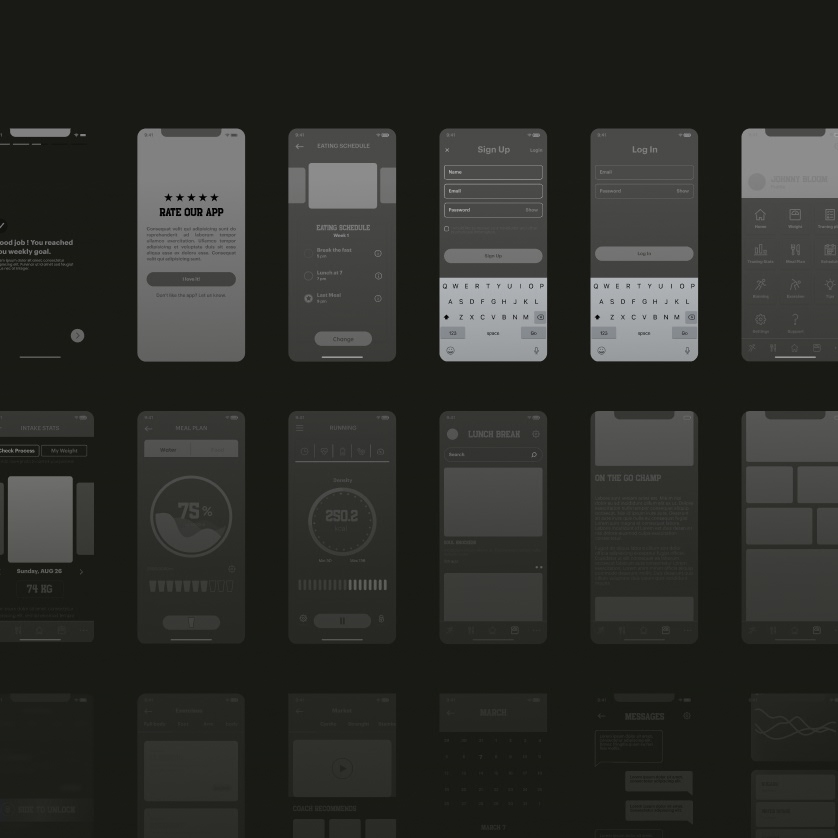
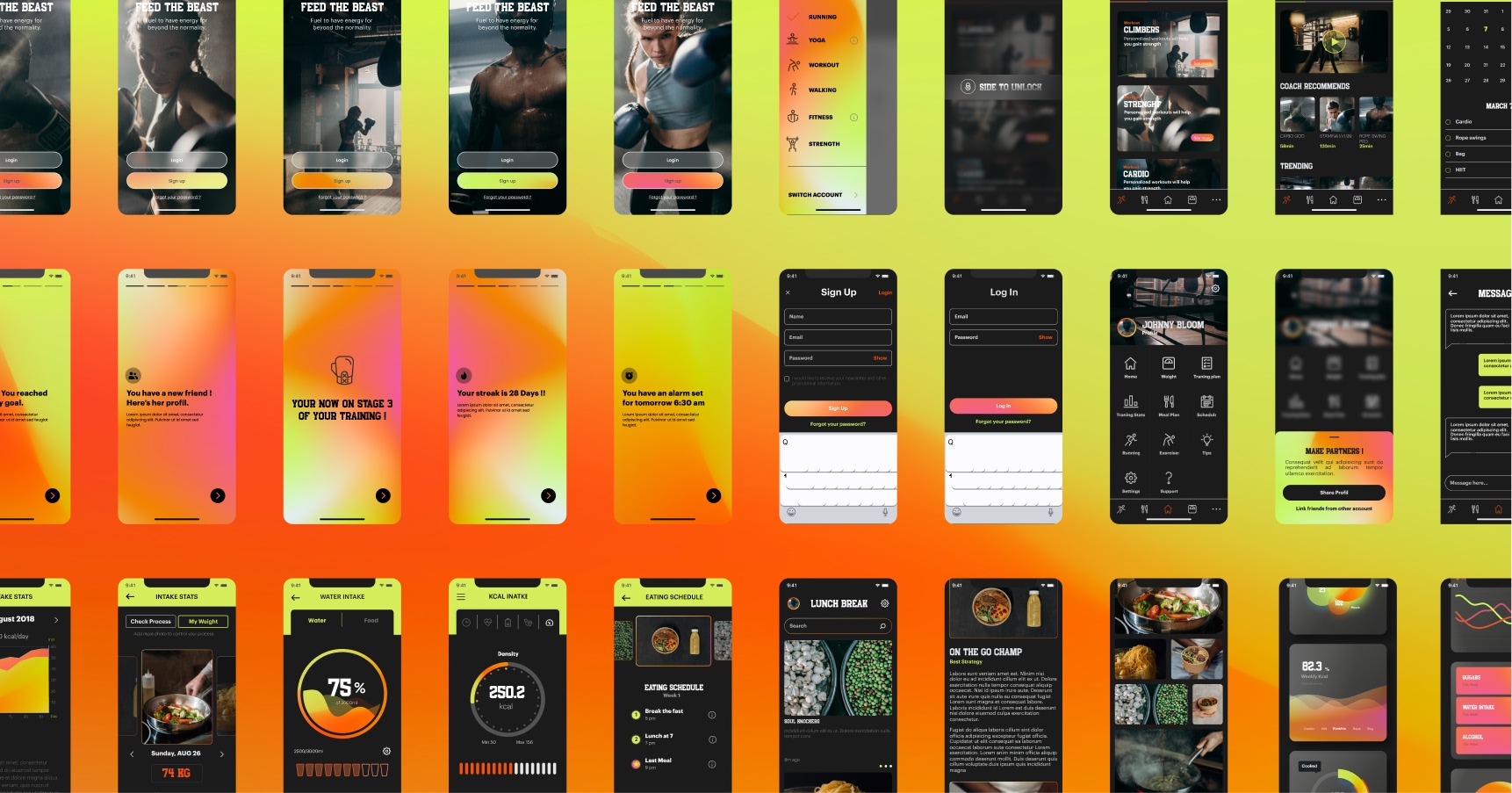
Rather than jumping straight to visual design, I focused on understanding the workflow athletes and coaches would follow during training sessions. I mapped common tasks—planning a session, logging rounds, reviewing performance—and analyzed where friction or context switching would likely occur.
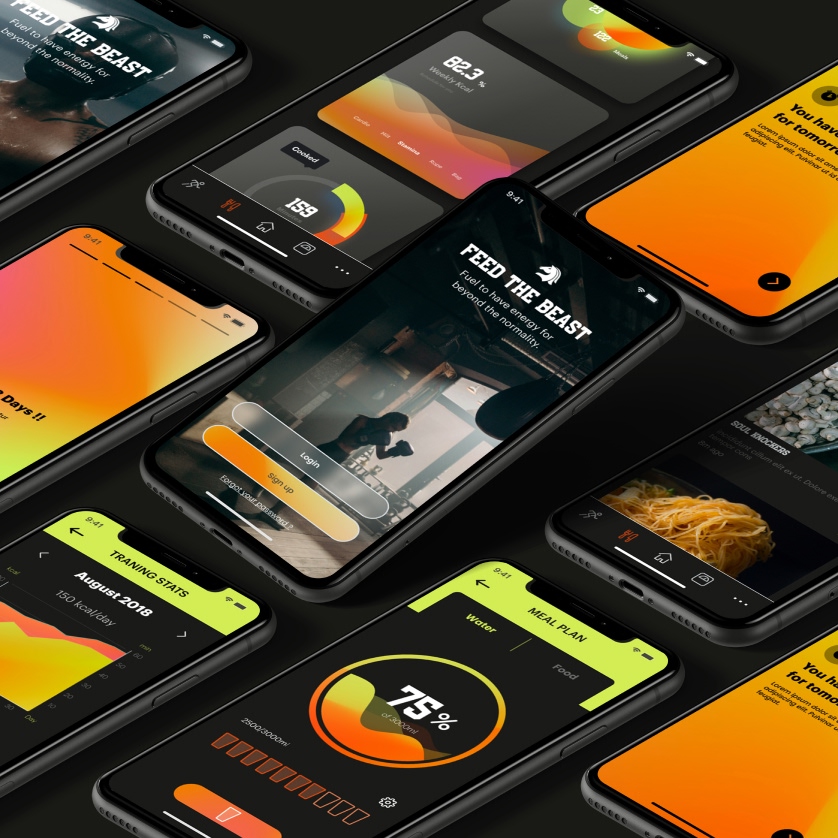
Using Figma, I created low-fidelity wireframes and interaction flows to test how information should appear throughout a session. The goal was to surface the right data at the right moment, reducing the need to navigate across multiple screens. Through multiple prototype iterations, the interface evolved into a streamlined flow where logging rounds, tracking performance, and reviewing progress could be done quickly and intuitively.
3. Iteration, Systems Thinking, and Scalable Design
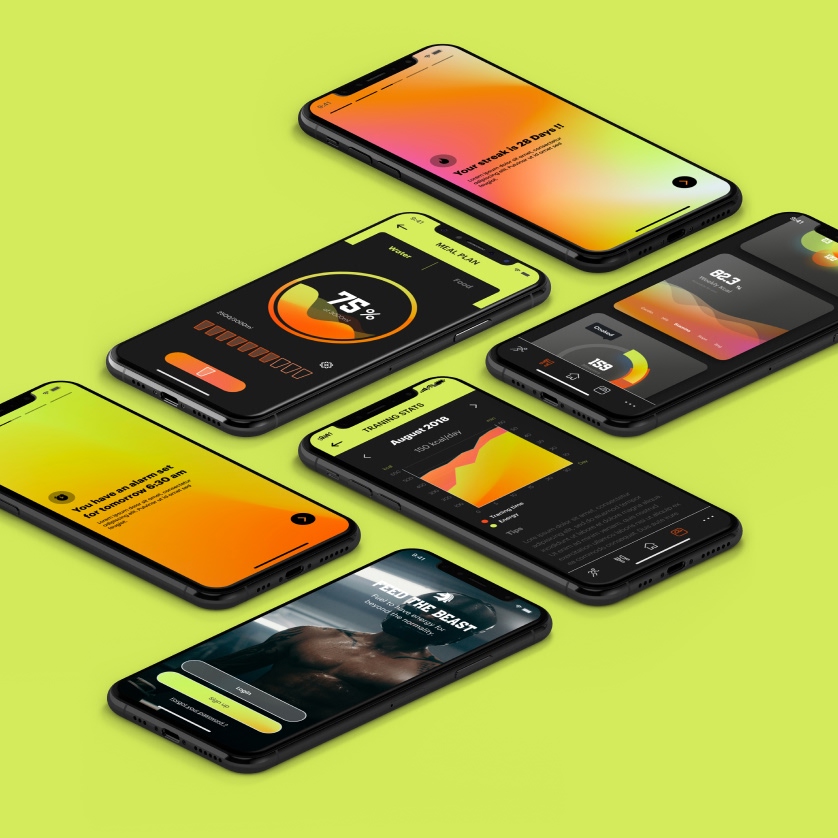
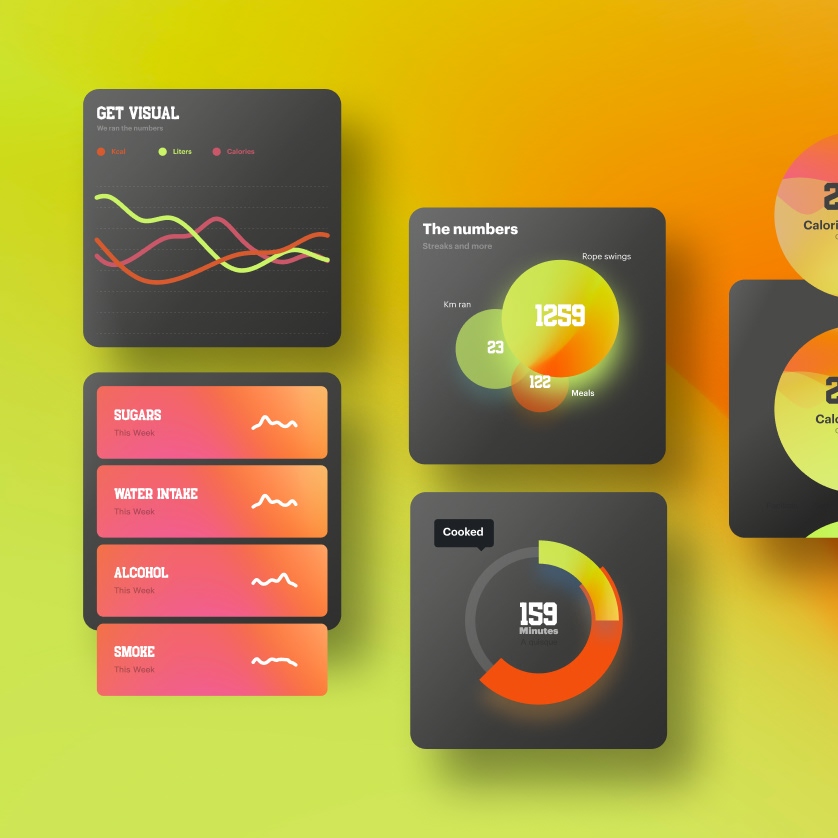
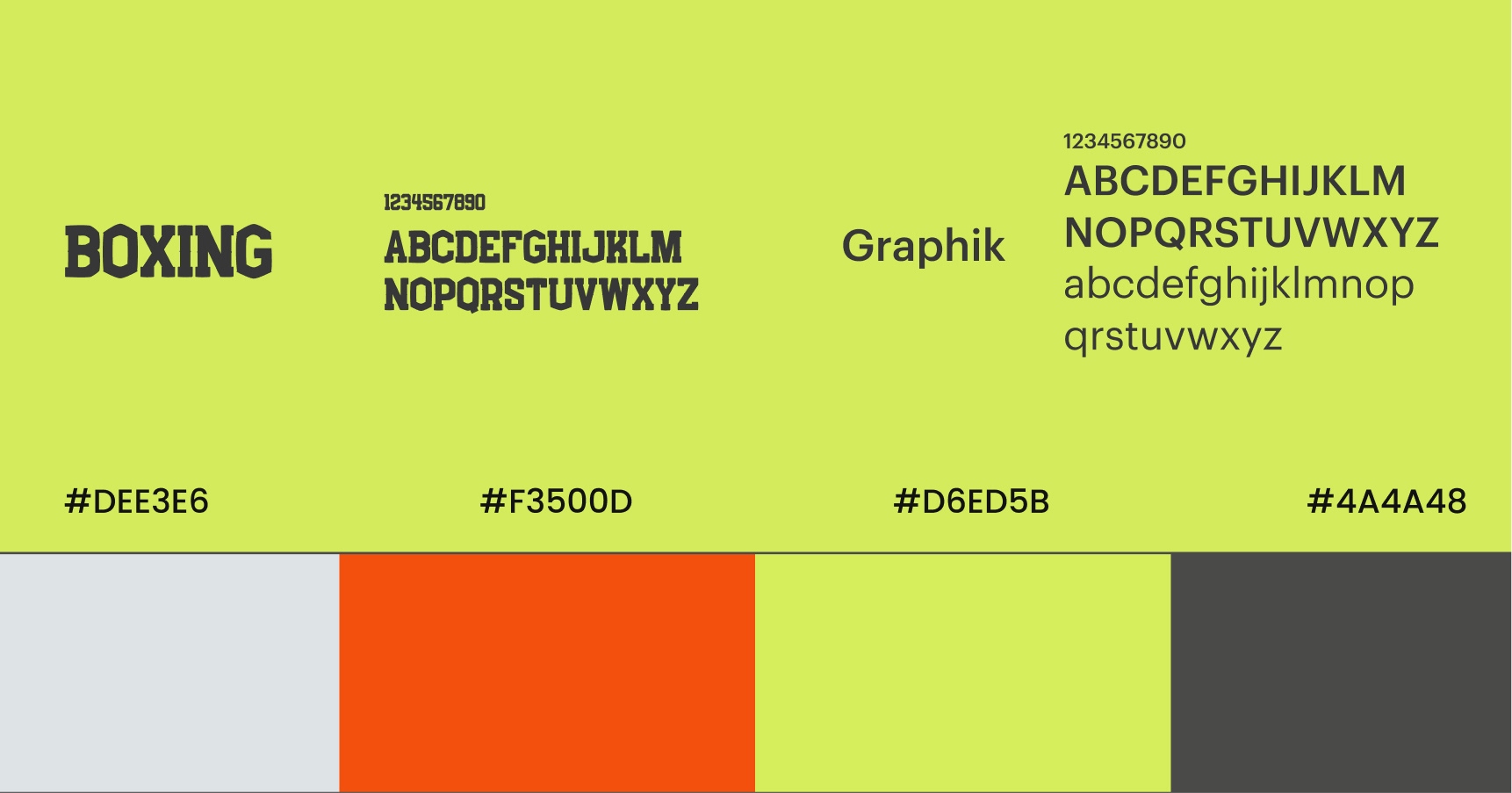
The interface was developed through iterative prototyping in Figma, focusing on clarity, consistency, and scalability. I built a small component-based system to keep layouts and interactions consistent while allowing the product to evolve as new features were introduced.
AI tools were used during the design process to explore interface variations, accelerate ideation, and test different layout approaches. The objective wasn’t just to create polished screens, but to design a system that could scale with additional data, workflows, and features while keeping the experience simple and reliable for users.


+1 (581) 372-2197
justin.mrst@gmail.com
Justin
Morissette


return
boxing app case
1. Turning Complex Workflows Into a Clear System
The starting point was a messy set of requirements: training logs, session planning, performance metrics, and athlete feedback all living in different places. My first step was to map the entire workflow to understand how coaches and athletes actually move through a training session.
- Research & discovery: Interviewed users and reviewed how training data was currently tracked.
- Journey mapping: Used Figma and FigJam to map the end-to-end workflow from planning a session to reviewing results.
- System structuring: Broke the experience into clear stages — plan → train → review → adjust.
- Interface design: Translated these steps into wireframes and modular components that could scale inside a design system.
2. Designing From Workflow Analysis
Rather than jumping straight to visual design, I focused on understanding the workflow athletes and coaches would follow during training sessions. I mapped common tasks—planning a session, logging rounds, reviewing performance—and analyzed where friction or context switching would likely occur.
Using Figma, I created low-fidelity wireframes and interaction flows to test how information should appear throughout a session. The goal was to surface the right data at the right moment, reducing the need to navigate across multiple screens. Through multiple prototype iterations, the interface evolved into a streamlined flow where logging rounds, tracking performance, and reviewing progress could be done quickly and intuitively.
3. Iteration, Systems Thinking, and Scalable Design
The interface was developed through iterative prototyping in Figma, focusing on clarity, consistency, and scalability. I built a small component-based system to keep layouts and interactions consistent while allowing the product to evolve as new features were introduced.
AI tools were used during the design process to explore interface variations, accelerate ideation, and test different layout approaches. The objective wasn’t just to create polished screens, but to design a system that could scale with additional data, workflows, and features while keeping the experience simple and reliable for users.
+1 (581) 372-2197
justin.mrst@gmail.com


Justin
Morissette
return
boxing app case
1. Turning Complex Workflows Into a Clear System
The starting point was a messy set of requirements: training logs, session planning, performance metrics, and athlete feedback all living in different places. My first step was to map the entire workflow to understand how coaches and athletes actually move through a training session.
- Research & discovery: Interviewed users and reviewed how training data was currently tracked.
- Journey mapping: Used Figma and FigJam to map the end-to-end workflow from planning a session to reviewing results.
- System structuring: Broke the experience into clear stages — plan → train → review → adjust.
- Interface design: Translated these steps into wireframes and modular components that could scale inside a design system.
2. Designing From Workflow Analysis
Rather than jumping straight to visual design, I focused on understanding the workflow athletes and coaches would follow during training sessions. I mapped common tasks—planning a session, logging rounds, reviewing performance—and analyzed where friction or context switching would likely occur.
Using Figma, I created low-fidelity wireframes and interaction flows to test how information should appear throughout a session. The goal was to surface the right data at the right moment, reducing the need to navigate across multiple screens. Through multiple prototype iterations, the interface evolved into a streamlined flow where logging rounds, tracking performance, and reviewing progress could be done quickly and intuitively.
3. Iteration, Systems Thinking, and Scalable Design
The interface was developed through iterative prototyping in Figma, focusing on clarity, consistency, and scalability. I built a small component-based system to keep layouts and interactions consistent while allowing the product to evolve as new features were introduced.
AI tools were used during the design process to explore interface variations, accelerate ideation, and test different layout approaches. The objective wasn’t just to create polished screens, but to design a system that could scale with additional data, workflows, and features while keeping the experience simple and reliable for users.
return
boxing app case
+1 (581) 372-2197
justin.mrst@gmail.com